
Open source, Apache 2.0
Run a coding agent on your machine. Watch every step.
See every tool call, diff, and terminal command as it happens. Bring your own models. Keep your data local.
curl -fsSL https://openagentd.dev/install.sh | shcheck_stock only looks at one cart line at a time, so two lines with the same SKU can both pass even when the total is over stock. Fix it, add a test that fails before the fix, and run pytest.
Grep: Searching check_stock (*.py)326ms
pattern: check_stockGlob: Finding **/*.py286ms
pattern: **/*.pyRead: inventory.py375ms
src/shopfront/inventory.pyRead: test_inventory.py68ms
tests/test_inventory.pyRead: cart.py51ms
src/shopfront/cart.pyThe cause is clear: check_stock compares each line against stock independently, so repeated SKUs never add up. I'll add the failing test first, confirm it fails, then fix.
Patch: test_inventory.py+111.8s
test_check_stock_sums_quantities_across_lines_with_the_same_skuShell: Confirm new test fails before fix893ms1 failed, 2 passed
DID NOT RAISE OutOfStockThe test fails as expected. Now the fix: aggregate requested quantity per SKU before comparing.
Patch: inventory.py+8-51.5s
src/shopfront/inventory.pyShell: Run full test suite560ms10 passed
pytest -qcheck_stock now sums quantities per SKU before comparing against stock, so two lines with the same SKU can no longer both pass when their combined quantity exceeds what's available.
claude-haiku-5-511s$0.0035
No changes yet
src/shopfront/inventory.py+7-4
11 lines unchanged
12
13
14def check_stock(cart: Cart, stock: Mapping[str, int]) -> None:
15 """Raise OutOfStock for the first line item the warehouse cannot fill."""
15 """Raise OutOfStock for the first SKU whose total cart quantity exceeds stock."""
16 requested: dict[str, int] = {}
17 for item in cart.items:
17 available = stock.get(item.sku, 0)
18 if item.quantity > available:
19 raise OutOfStock(item.sku, item.quantity, available)
18 requested[item.sku] = requested.get(item.sku, 0) + item.quantity
19 for sku, quantity in requested.items():
20 available = stock.get(sku, 0)
21 if quantity > available:
22 raise OutOfStock(sku, quantity, available)
tests/test_inventory.py+11
Works with the models you already use
19+ providers, including OpenAI, AWS Bedrock, and xAI. Use your own keys.
Every step is on screen
One turn, start to finish: the agent plans, reads, edits, runs, and hands you a diff to review.

Plan
The agent writes a task checklist, so you can see what it is doing and what is done.
Read
Every tool call shows its arguments, result, and timing. Expand any of them.
Edit
File changes appear as inline diffs with real line numbers.
Run
Shell output streams into the transcript, and a real terminal sits in the same workspace.
Review
The Git panel lists every change, and language servers report diagnostics after edits.
See the work, not just the answer
Fix a bug
A whole session, start to finish: the agent reads the code, writes a failing test, patches it, and runs pytest until it passes.
See the work
Streamed replies, tool calls, and results in one view, with helper agents working beside the lead.
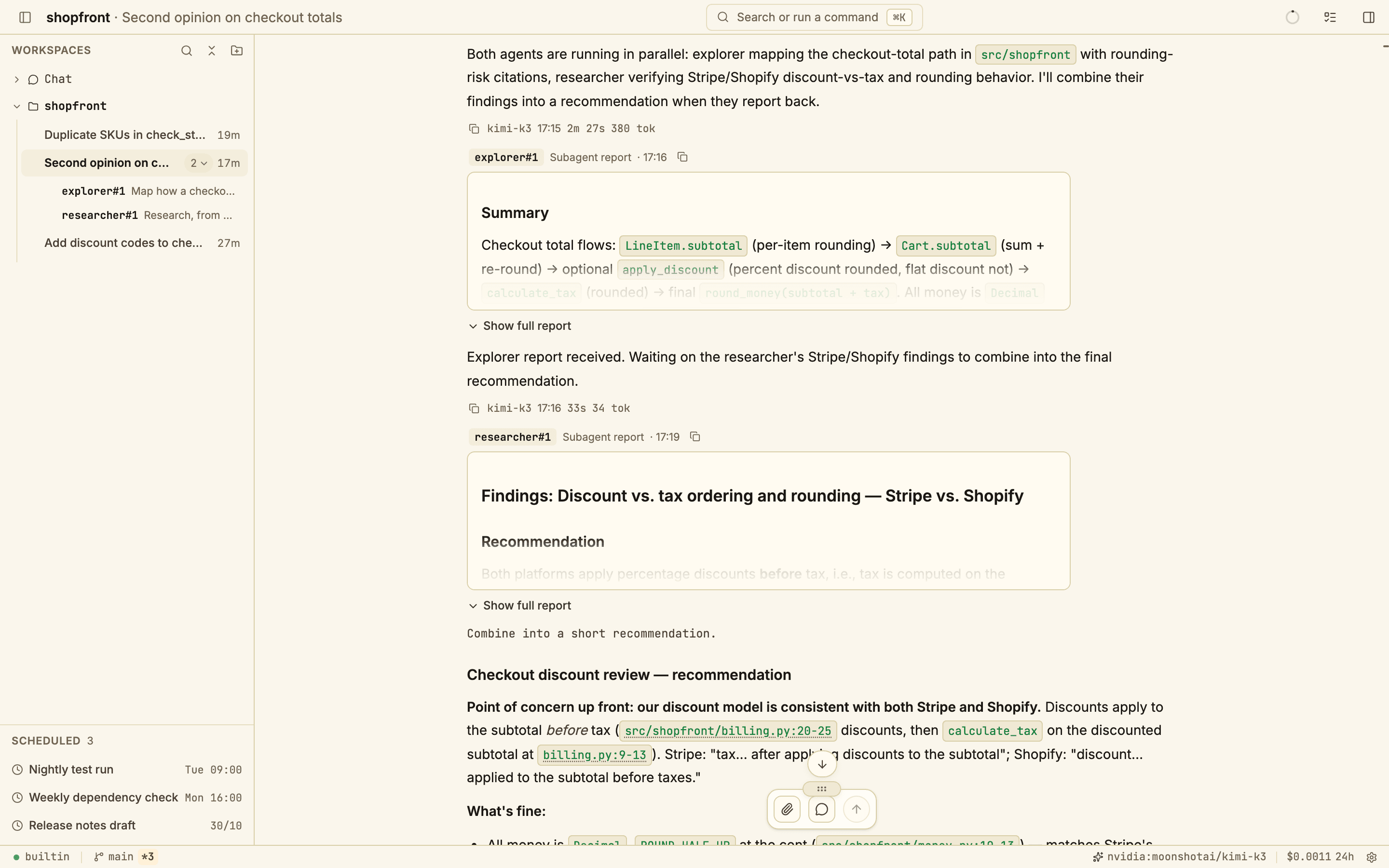
Review diffs
Open local folders, use git worktrees, review diffs, and get language-server diagnostics after edits.
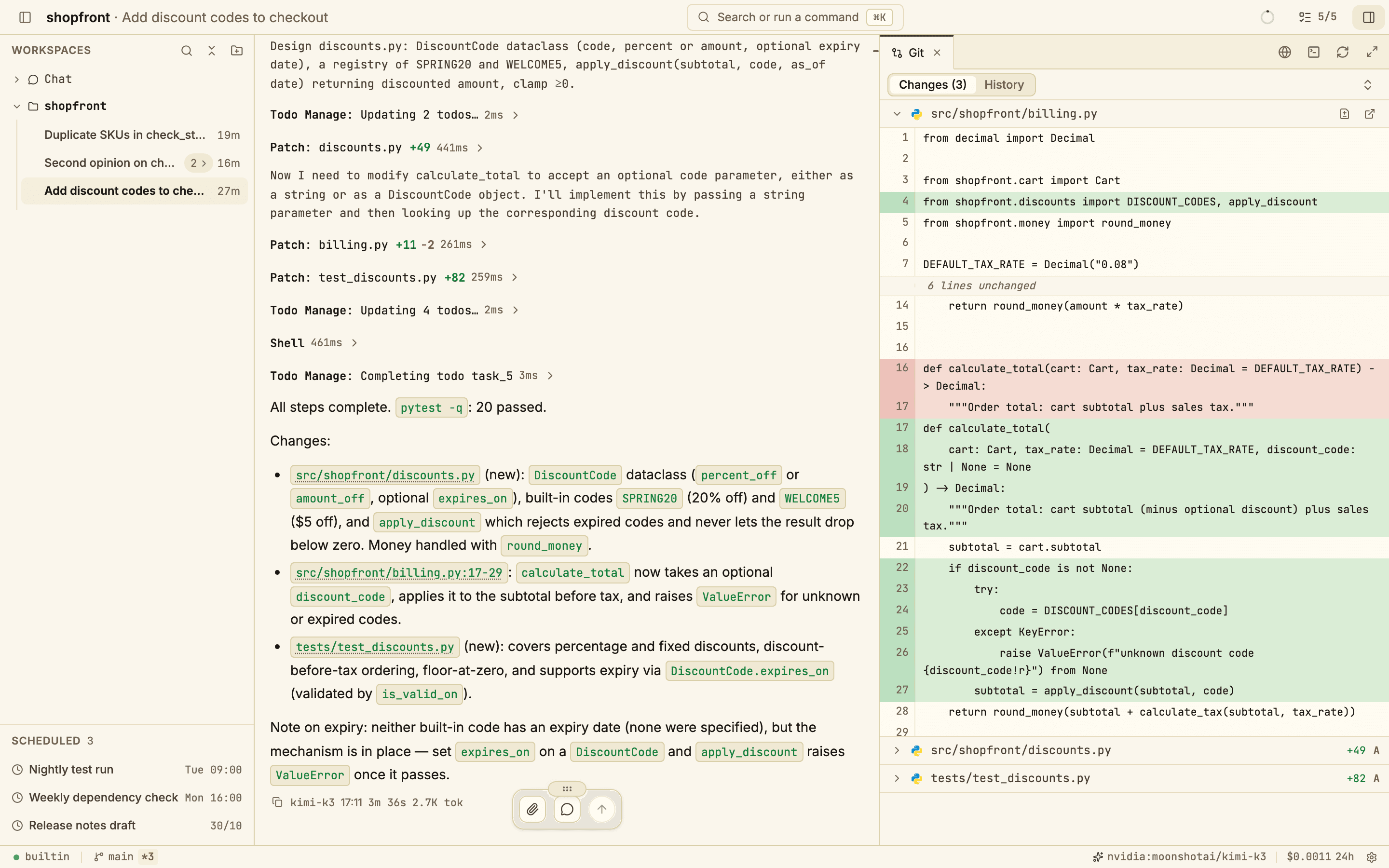
Track tasks
A readable checklist shows what the agent is doing and what is done.
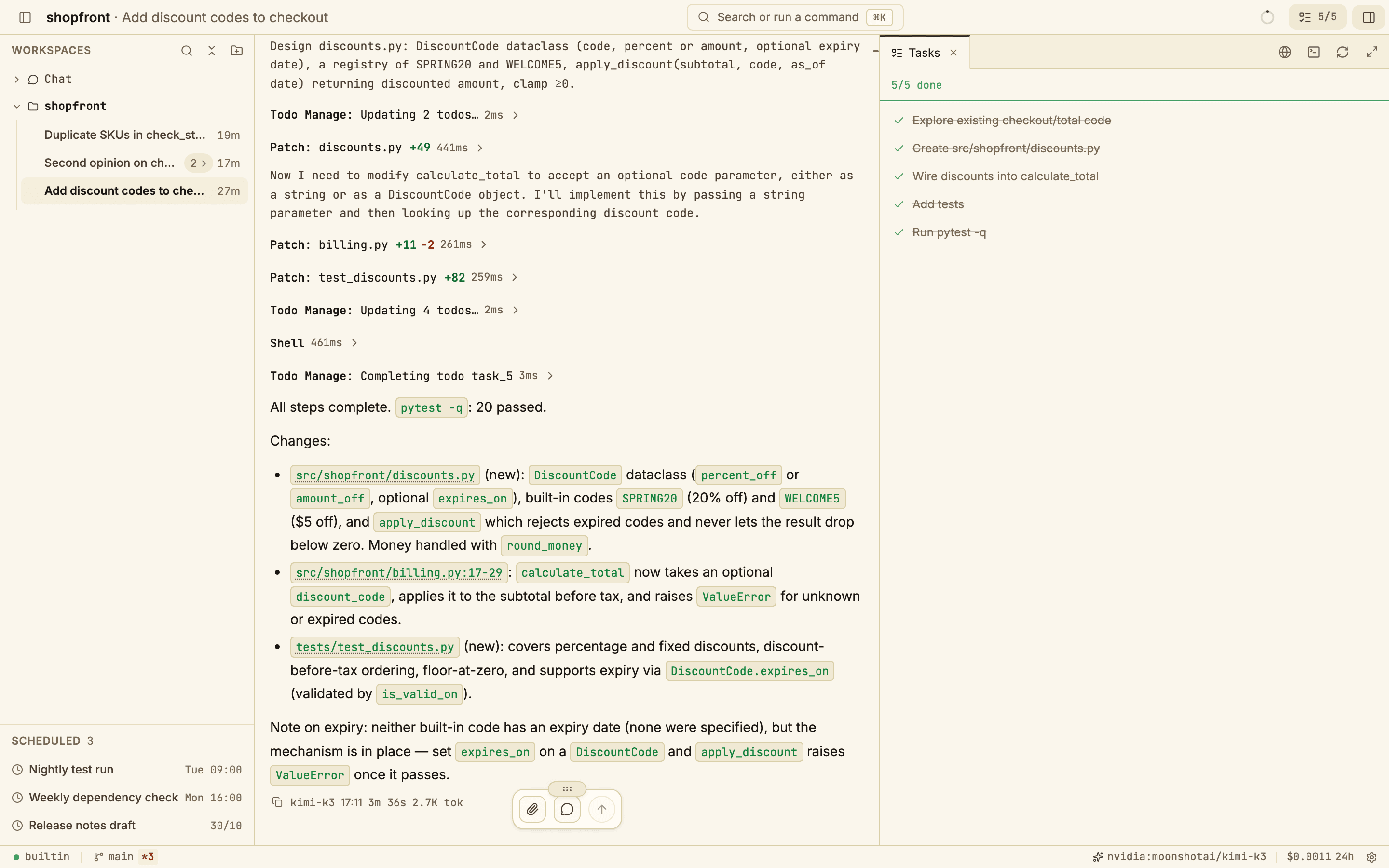
Use the terminal
A real shell in a tab next to the agent, in the same workspace.
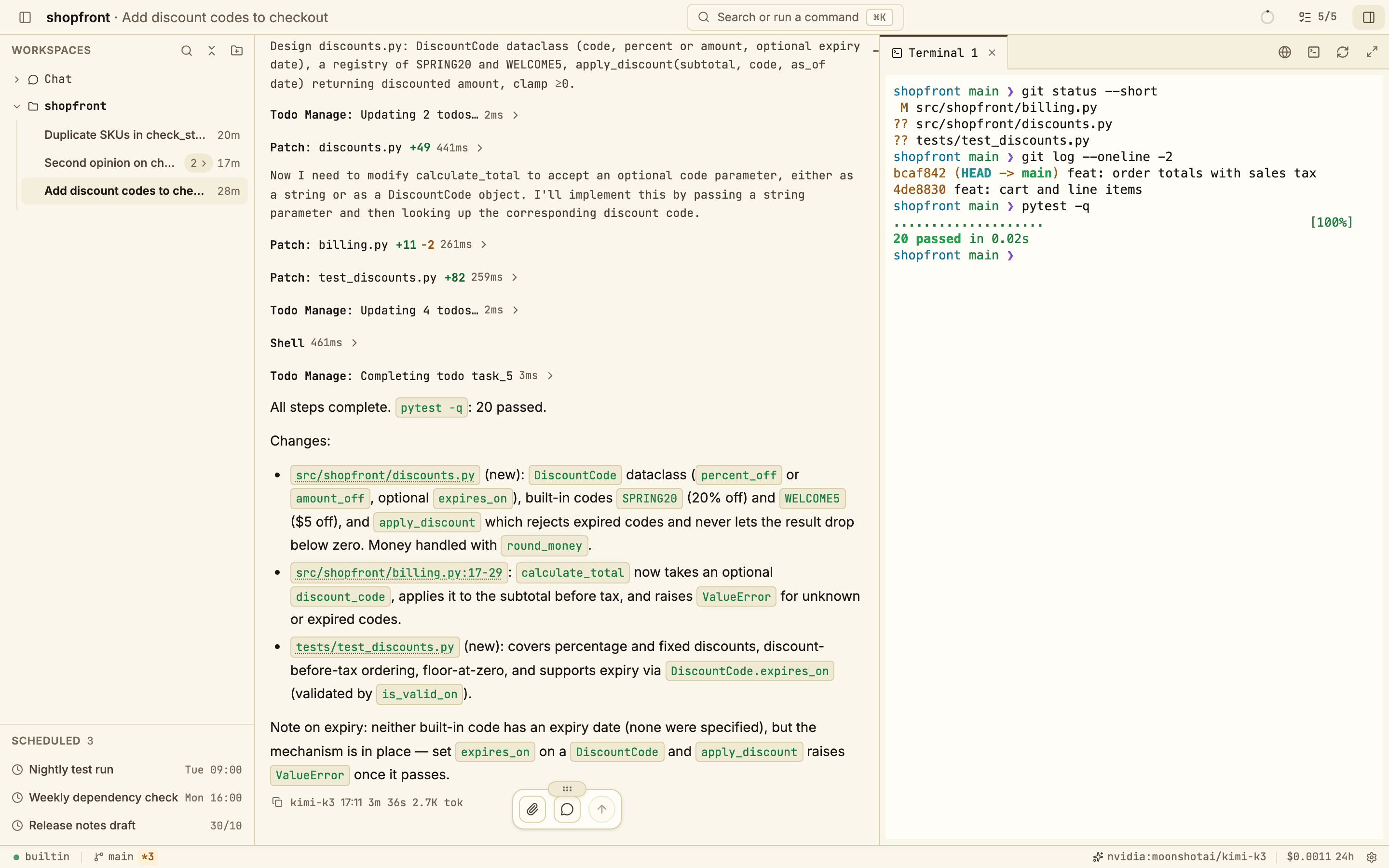
Everything the agent needs, in one window
Agent teams
The lead agent hands work to helper agents that run in the background, then collects their reports.
Command palette
Search app actions from the keyboard with Command K or Control K.
Scheduler
Run a prompt on an interval, a cron schedule, or once at a set time.
Plugins
A TypeScript or JavaScript file can add a model provider or rewrite tool calls and results.
Denied paths
Block paths such as .env files from the agent's file tools with glob patterns.
MCP servers and skills
Connect Model Context Protocol servers and add skills the agent loads when it needs them.
Your machine. Your keys. Your sessions.
Your prompts go to the model provider you choose. Your sessions, telemetry, and settings stay on your computer.
Local by default
Sessions, telemetry, and configuration live on your computer, and so does the API server.
Your keys, your models
Bring keys for 19+ providers, add more with plugins, or run local models with Ollama.
Open source
The app and its backend are released under Apache 2.0.
- model providers
- 19+
- idle memory for the backend
- ~20 MB
- single-binary CLI
- ~17 MB
- native desktop app
- ~26 MB
Install in one line
macOS
curl -fsSL https://openagentd.dev/install.sh | shbrew install --cask lthoangg/tap/openagentdThe desktop app runs its own backend. Add a model provider in Settings after the first launch.
Windows
irm https://openagentd.dev/install.ps1 | iexThe desktop app runs its own backend. Add a model provider in Settings after the first launch.
Linux
curl -fsSL https://openagentd.dev/install.sh | shThe desktop app runs its own backend. Add a model provider in Settings after the first launch.
iOS
https://github.com/lthoangg/openagentd/releases/download/latest-ios/source.jsonThe iOS app connects to an OpenAgentd server on your computer.
CLI server
curl -fsSL https://openagentd.dev/install.sh | sh -s -- --cliopenagentd server startcurl -fsSL https://openagentd.dev/install.sh | sh
Finding the latest OpenAgentd release
Extracting the desktop app
Installing OpenAgentd.app into /Applications
Installed OpenAgentd!
Next: open OpenAgentd from Applications.
curl -fsSL https://openagentd.dev/install.sh | sh
Finding the latest OpenAgentd release
Installing the OpenAgentd desktop app
Installed OpenAgentd!
Next: open OpenAgentd from your application menu.
irm https://openagentd.dev/install.ps1 | iex
Finding the latest OpenAgentd release
Opening Windows Installer
Installed OpenAgentd!
Next: open OpenAgentd from the Start menu.
Fig. 4What the installer prints on your platform.
Questions, answered
Does my code leave my machine?
Your prompts, and the files the agent reads for them, go to the model provider you choose. Sessions, telemetry, and settings stay on your computer. With a local model through Ollama, nothing leaves it.
Which models can I use?
Any of 19+ providers, including Anthropic, OpenAI, Gemini, OpenRouter, AWS Bedrock, GitHub Copilot, and Ollama. You bring your own keys or sign in where the provider supports it, and a provider plugin can add one that is missing.
What does it cost?
OpenAgentd is free and open source under Apache 2.0. You pay your model provider for what you use, or nothing with local models.
Is there a CLI?
Yes. Install the CLI server to run openagentd server start, connect a browser or another device, or run one agent turn in the current project with openagentd run.
Can I use it from my phone?
Yes. The iOS app connects to an OpenAgentd server running on your computer, so the work still happens there.
Can I keep secrets away from the agent?
Yes. A path denylist blocks files such as .env from the agent's file tools with glob patterns. Shell commands get a best-effort scan, so keep real secrets out of reach as well.